Xitogent™
Xitoring's lightweight monitoring agent for Linux & Windows servers. Install in seconds, monitor everything — CPU, memory, disk, network, and 30+ service integrations.


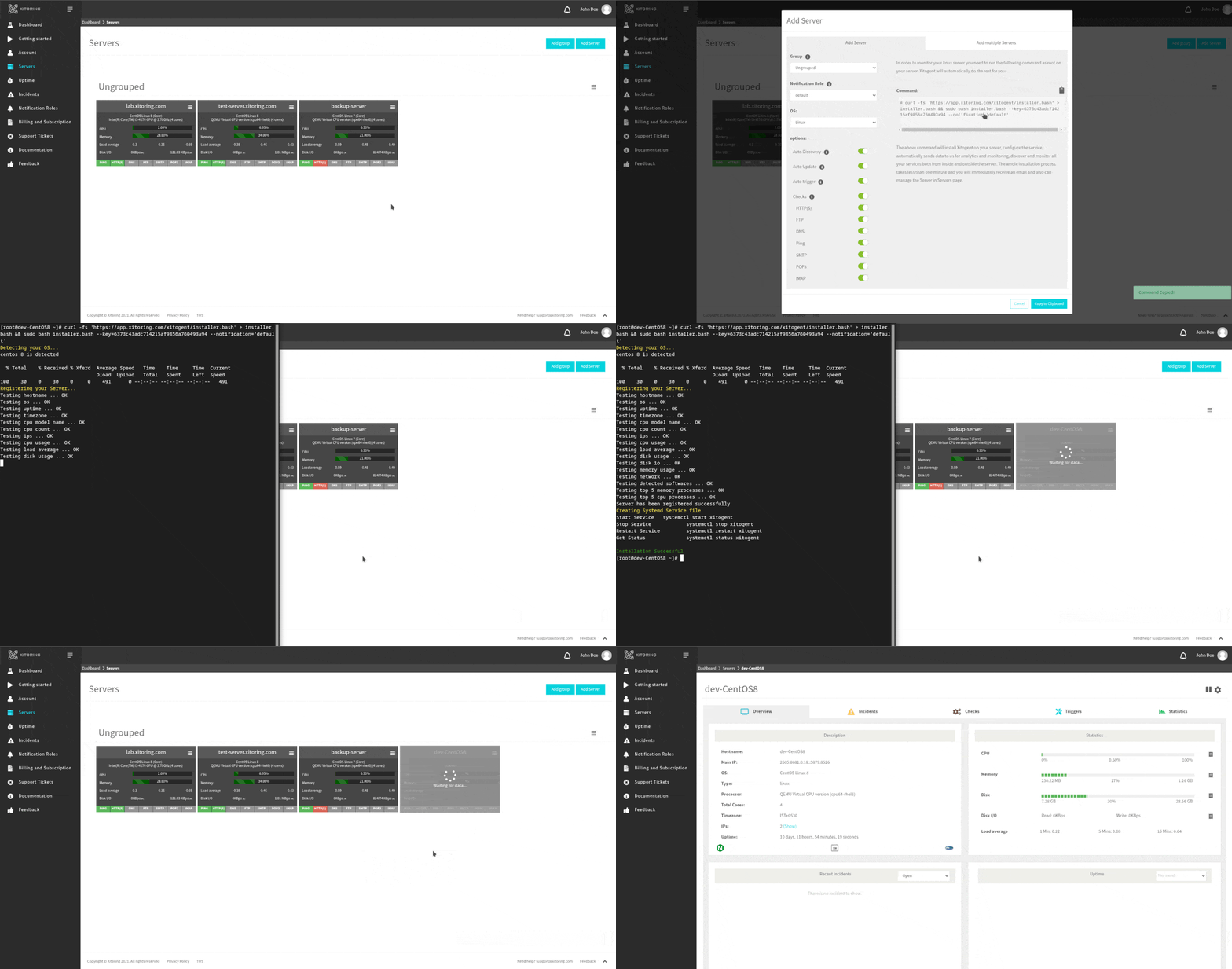
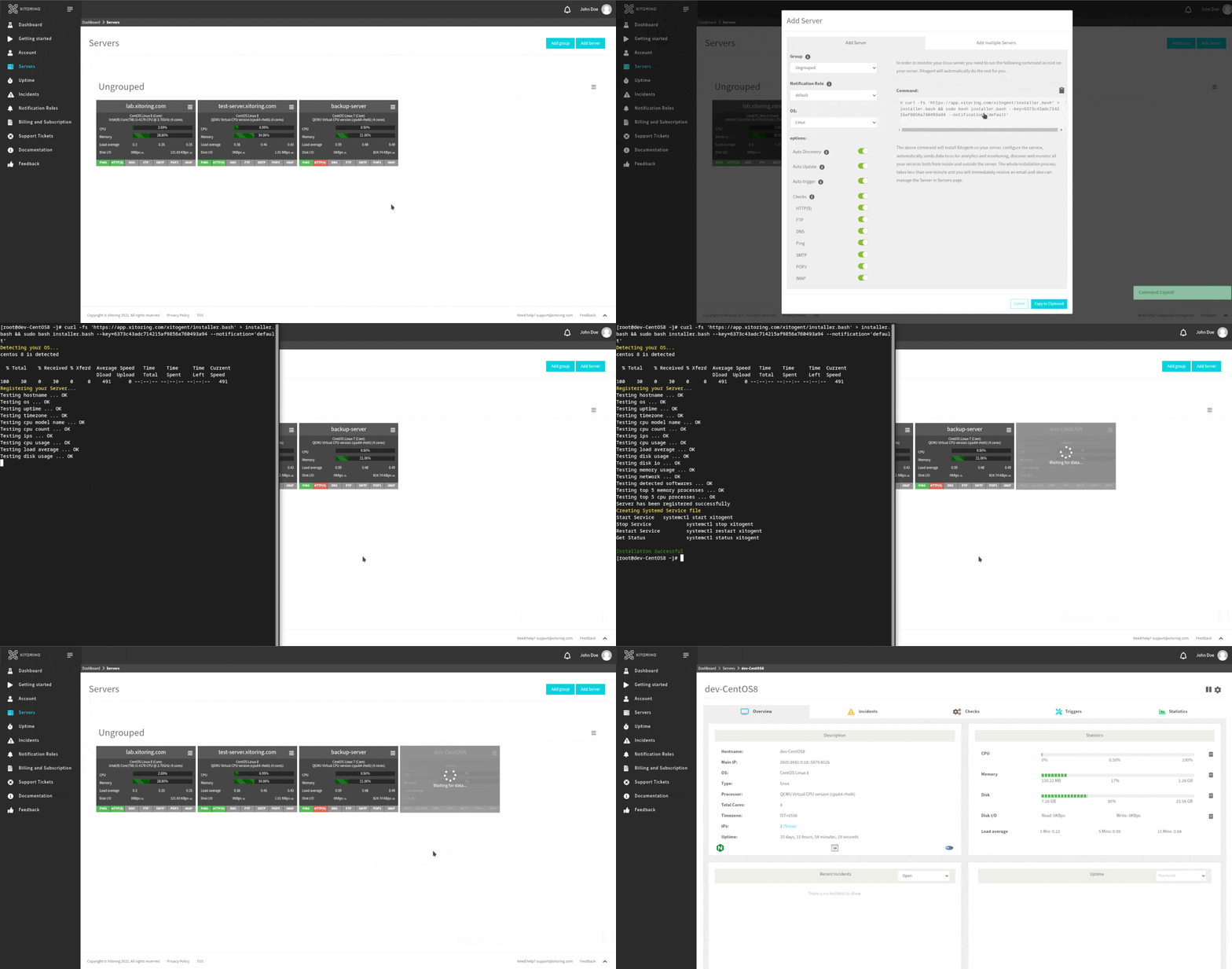
Xitogent Installation Within a Few Seconds
Watch how easy it is to install, configure, and start monitoring your servers.
Swift Installation Process
At Xitogent, simplicity is at the forefront of our design. Installing Xitogent and adding your server to our monitoring system is a breeze. With just a single command in your server's terminal, our installer swiftly sets up Xitogent and its dependencies. Automatic configuration of Checks and Triggers is seamlessly handled, and a confirmation email is sent once your server is successfully integrated into Xitoring. Our focus is on efficiency, ensuring that the installation process is both rapid and straightforward.
Extensive OS Support
We pride ourselves on our compatibility with major Linux distributions. Xitogent has been rigorously tested and proven to work seamlessly on a range of distributions including CentOS, Rocky Linux, Alma Linux, Ubuntu, Debian, and more. This wide-reaching support guarantees that Xitogent can effortlessly adapt to your preferred Linux environment.
Automated and Customizable Installation
Xitogent's Bash Installer empowers you with an automatic installation process that is as simple as copy and paste. After registering and verifying your email on Xitoring, adding servers to the panel becomes a breeze. The "Add Server" window presents various customization options, such as grouping, notification roles, and supported operating systems. You have the flexibility to enable or disable features like Auto Discovery, Auto Update, and Auto Trigger. Additionally, Xitogent enables you to fine-tune Checks and Triggers to suit your monitoring preferences.
Effortless Multiple Installation
Harnessing the power of Ansible, Xitogent takes multi-server operations to a new level. You can now register multiple servers with a single command, leaving the Installer and Ansible to seamlessly manage the rest. Ansible, an open-source configuration management tool, aids in creating infrastructure as code and automation playbooks, ensuring efficient and synchronized server registration.
Manual Installation Made Simple
For those who prefer manual installation, Xitogent provides ready-to-use Debian and RPM packages. The process is straightforward, involving the addition of repositories and the execution of package manager commands. This ensures that even manual installation remains convenient and hassle-free.
Empowering CLI
Xitogent offers a command-line interface (CLI) that provides granular control over your monitoring experience. The CLI allows you to manually register servers for monitoring using your API key. You can enable auto-discovery, auto-triggering, auto-updating, and configure specific modules as needed, tailoring the monitoring experience to your requirements.
Effortless Uninstallation
Removing Xitogent is as straightforward as its installation. Utilizing your package manager, you can effortlessly uninstall Xitogent. During the process, you'll have the option to decide whether you want your server to be completely unregistered from Xitoring.
Frequently Asked Questions
Everything you need to know about Xitogent.
Start monitoring in 60 seconds
One command. Full visibility. Install Xitogent on your servers and gain instant insights into performance, health, and availability.
Free plan available • No credit card required • Works on Linux & Windows