Notification Channels
Get the right alert, to the right person, at the right time — through the channels your team already uses.
Create Email notification roles and add your teammates' Email addresses to a notification role.
Mobile Push Notification
CommunicationInstall Xitoring mobile application and get instant notifications on your phone!
SMS
CommunicationEnable SMS notifications simply by adding a Mobile Number to a Notification role.
Phone Call
CommunicationEnable Phone-Call alerts simply by adding a Mobile Number to a Notification role.
Webhook
Developer ToolsSet up webhooks for advanced alerts to your system or app.

Slack
Team ChatKeep your whole team informed of incidents on a Slack channel.

Telegram
Team ChatTelegram Messenger is a globally accessible freemium messaging platform — get your incidents on Telegram!

WhatsApp is a freeware, cross-platform, centralized instant messaging service — get your incidents on WhatsApp!

MatterMost
Team ChatMattermost is an open-source, self-hostable online chat service with file sharing, search, and integrations.

Discord
Team ChatDiscord is an instant messaging and VoIP social platform.

Google Chat
Team ChatGoogle Chat is a communication service developed by Google, designed for teams and business environments.

Microsoft Teams
Team ChatMicrosoft Teams is a proprietary business communication platform developed by Microsoft, as part of the Microsoft 365 family.

Opsgenie
Incident ManagementOpsgenie is a modern incident management platform that ensures critical incidents are never missed.

Splunk On-Call
Incident ManagementSplunk On-Call is a hub for centralizing the flow of information throughout the incident lifecycle.

PagerDuty
Incident ManagementPagerDuty is one of the most used on-call and incident management platforms.

Spike.sh
Incident ManagementSpike.sh is a simple on-call and incident management platform.

Pushover
Push NotificationsPushover makes it easy to get real-time notifications on your Android, iPhone, iPad, and Desktop.

Gotify
Push NotificationsGotify is a server for sending and receiving messages in real-time per web socket.

Pushbullet
Push NotificationsPushbullet bridges the gap between your phone, tablet, and computer, enabling them to work better together.

Ntfy
Push Notificationsntfy (pronounced notify) is a simple HTTP-based pub-sub notification service.

Zapier
Developer ToolsWorkflow automation software for everyone.
Powerful Notification Features
Fine-tune how, when, and who gets alerted with flexible notification capabilities.
Multiple Notification Channels
Assign multiple channels — Email, Slack, SMS, PagerDuty, and more — to a single notification role so alerts reach your team everywhere at once.
Repeat Incidents
Automatically re-alert your team if an issue persists. Repeated incidents are clearly marked [REPEATED] and pushed to all configured channels.
Multiple Contacts per Role
Add teammates and custom recipients to each role. Everyone in the role receives alerts through their own preferred channels simultaneously.
Favorite Notification Roles
Mark roles as favorites so they're auto-selected when creating new monitors or triggers — saving setup time on every new check.
Notification Roles & Usage Cases
Notification Roles let you group team members and channels into reusable alert policies. Instead of configuring each monitor individually, assign a role and everyone in it gets notified through their preferred channels instantly.
On-Call Escalation
Route critical alerts to PagerDuty or Opsgenie first, then escalate to Slack and SMS if unacknowledged.
DevOps Team Role
Combine Email, Slack, and Webhook so your engineering team is always in the loop across every channel.
Executive Summary
Send daily digest emails to stakeholders without overwhelming them with real-time noise.
Client-Facing Alerts
Push status updates to a public Status Page and notify clients via WhatsApp or Telegram.
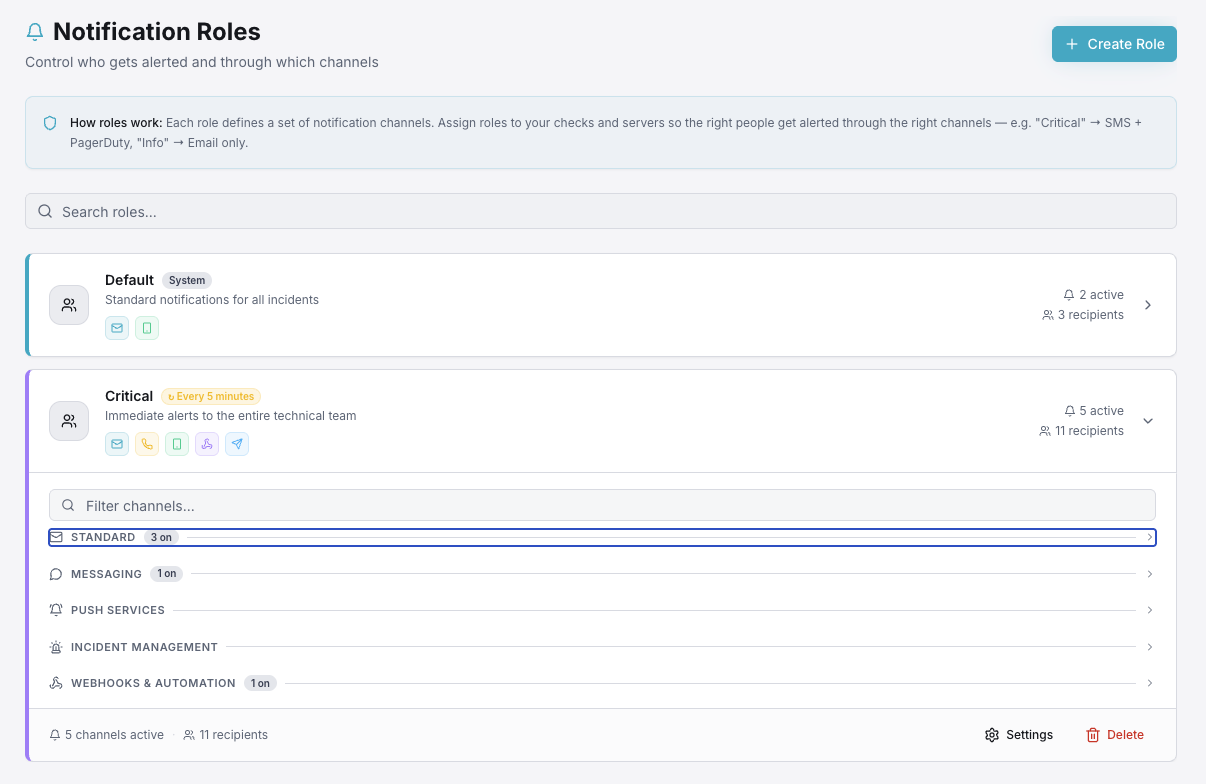
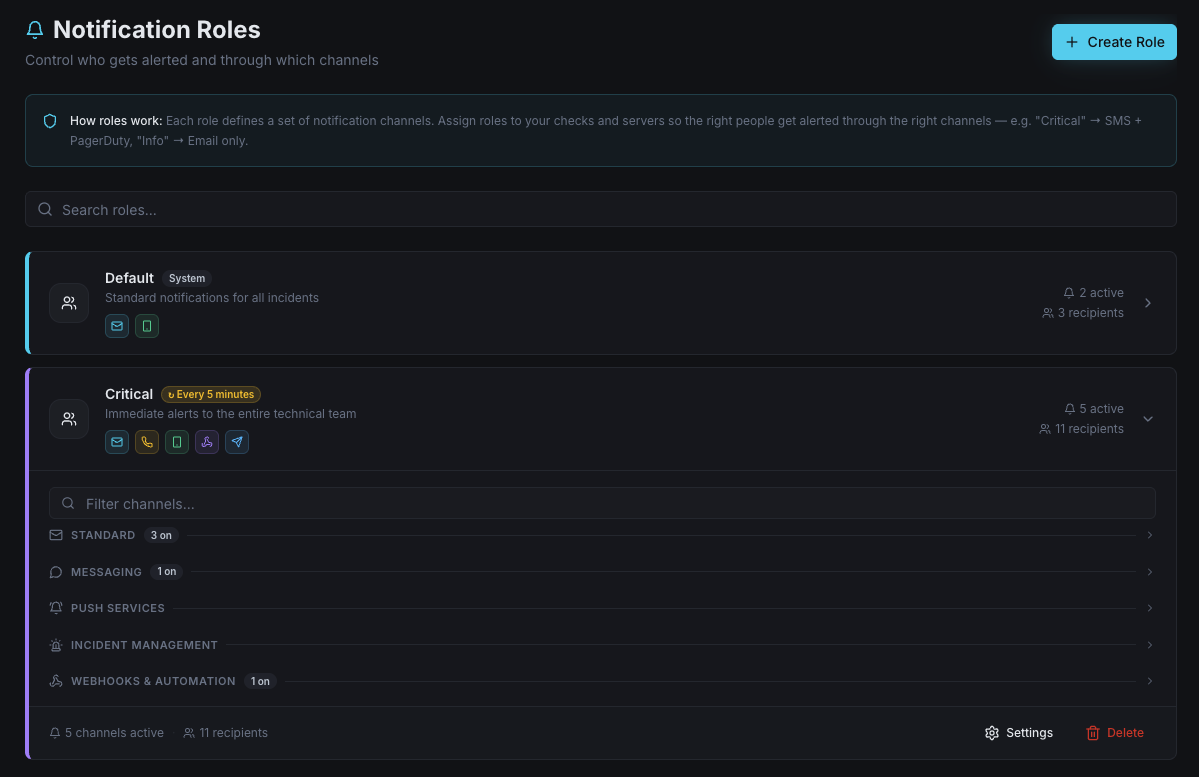
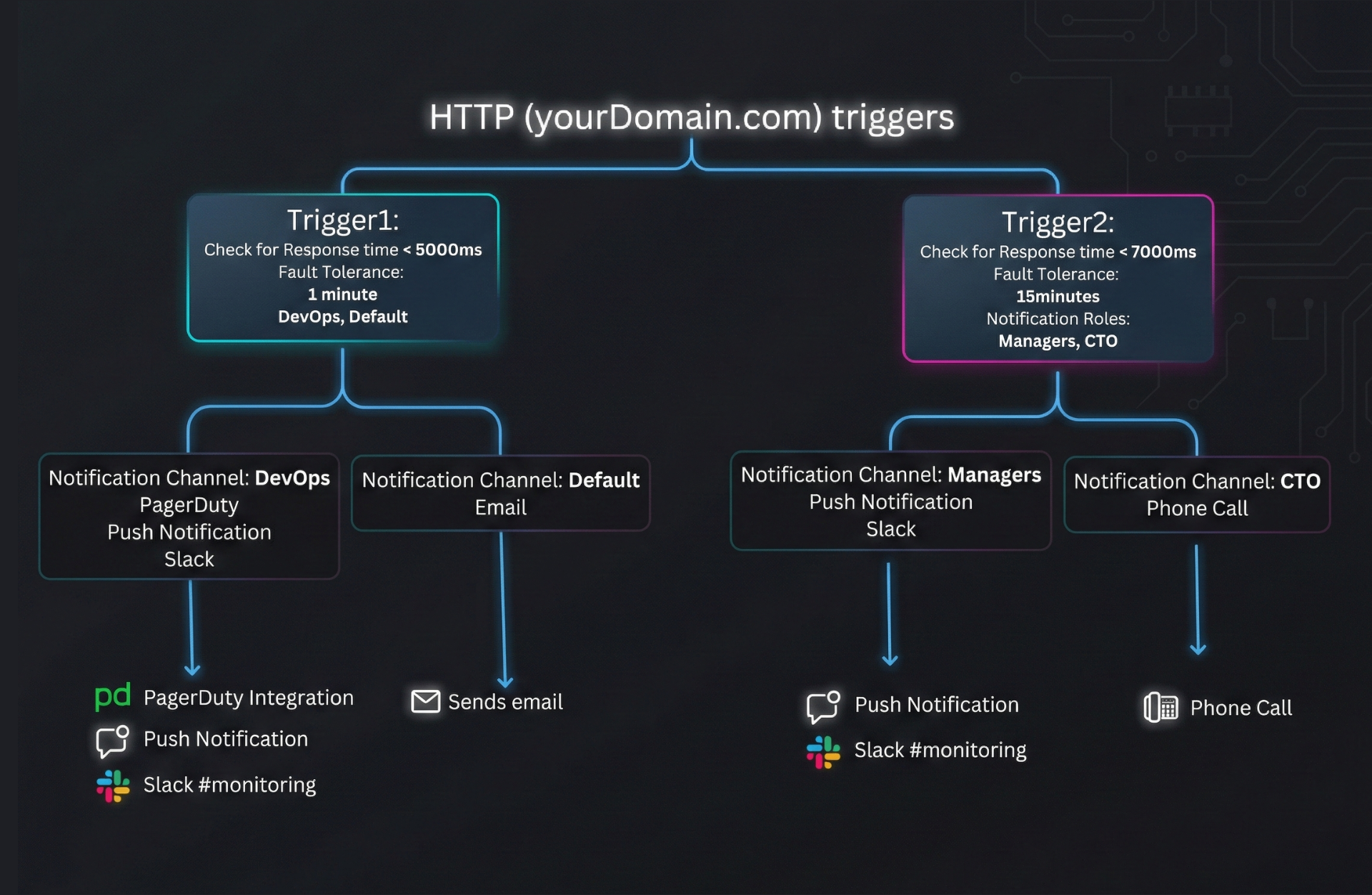
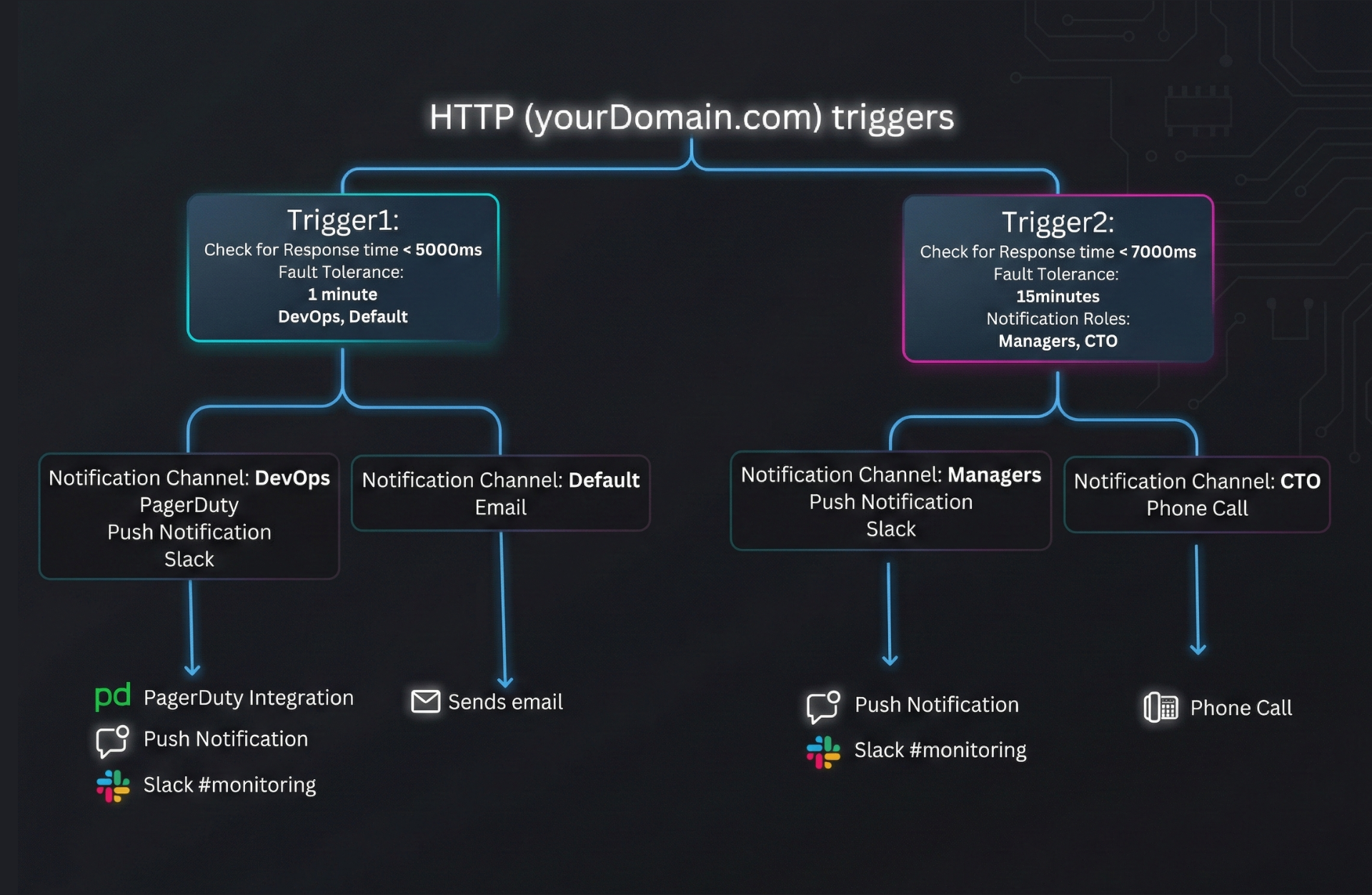
How Triggers & Notification Roles Work
When a monitor detects an issue, it fires a trigger. Each trigger is linked to a Notification Role that routes the alert to the right people through their preferred channels — automatically.
Never Miss a Critical Alert
Start monitoring in under 2 minutes. Connect your favorite channels and get notified the moment something goes wrong — completely free to get started.
No credit card required · Free plan includes 20+ notification channels