In today’s always-online world, downtime is no longer just a technical issue — it’s a trust issue. Whether you run a SaaS platform, an e-commerce store, a cloud service, or an internal IT system, users expect transparency, reliability, and real-time communication when something goes wrong.
That’s where a status page comes in.
A status page is one of the most underrated yet powerful tools for improving customer trust, reducing support workload, and communicating system health clearly and proactively.
What Is a Status Page?
A status page is a publicly accessible web page that displays the real-time operational status of your services, systems, or infrastructure components.
Its primary purpose is to inform users about availability, incidents, maintenance, and performance issues — without them having to contact support.
Typical Information Shown on a Status Page
A well-designed status page usually includes:
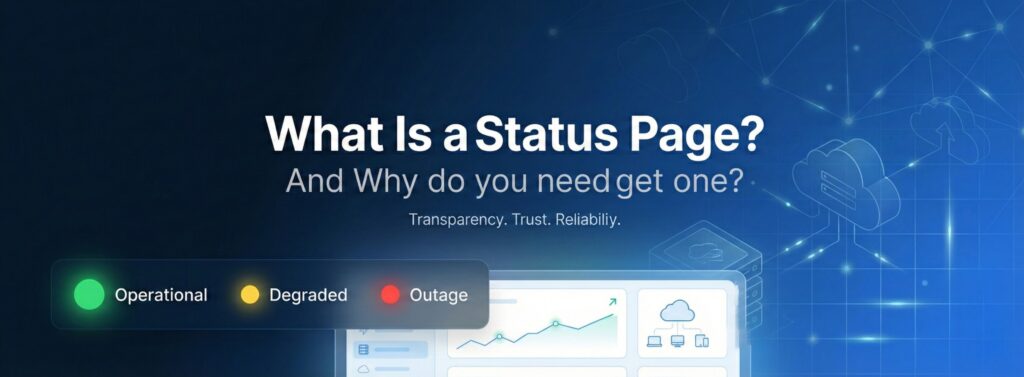
- Current system status (Operational, Degraded, Outage)
- Ongoing incidents
- Scheduled maintenance
- Historical uptime and incident history
- Incident updates and resolutions
- Regional or component-level status
Status pages are often powered by monitoring tools that automatically update service status based on uptime checks, performance metrics, or manual incident reports.
Status Page vs. Monitoring Dashboard: What’s the Difference?
This is a common source of confusion.
| Monitoring Dashboard | Status Page |
|---|---|
| Internal use | Public or customer-facing |
| Highly technical | Simple and user-friendly |
| Raw metrics (CPU, RAM, latency) | Clear service status |
| Used by engineers | Used by customers & stakeholders |
Monitoring tools detect problems. Status pages communicate them.
Both are important — but they serve very different audiences.
Who Needs a Status Page?
Short answer: almost everyone running an online service.
Status pages are especially useful for:
- SaaS companies
- Cloud platforms
- Hosting providers
- APIs and developer tools
- E-commerce websites
- Financial platforms
- Enterprises with internal IT systems
- Startups scaling their infrastructure
Even small teams benefit massively from a status page once users depend on their service.
How Does a Status Page Work?
A status page typically works in one of three ways (or a combination of them).
1. Automated Monitoring Integration
The status page connects to uptime monitoring checks (HTTP, ping, TCP, API, etc.).
- If a check fails → service marked as down
- If latency increases → degraded performance
- When recovered → operational
This ensures real-time and unbiased updates.
2. Manual Incident Management
Teams can manually:
- Create incidents
- Post updates
- Add explanations
- Resolve incidents
This is crucial for complex issues that automated checks alone cannot fully explain.
3. Scheduled Maintenance Notices
Planned downtime or upgrades can be announced in advance, reducing surprise and frustration.
Key Benefits of Having a Status Page
Now let’s look at the real value.
1. Builds Trust Through Transparency
Transparency is one of the strongest trust signals you can send to users.
When something breaks (and it will), users want answers to three questions:
- Is the service down?
- Are you aware of the issue?
- Are you fixing it?
A status page answers all three instantly.
Why transparency matters
Without a status page:
- Users assume the worst
- Social media complaints increase
- Support tickets pile up
- Brand credibility suffers
With a status page:
- Users see you’re aware
- They understand what’s happening
- They trust you more — even during downtime
Being honest during outages often increases long-term customer loyalty.
2. Reduces Support Tickets and Operational Load
One of the biggest hidden costs of downtime is support overload.
What happens without a status page?
Users:
- Email support
- Open chat requests
- Call your helpdesk
- Ask the same question repeatedly
“Is your service down?”
What happens with a status page?
Users check the page first.
- No ticket needed
- No agent involved
- No repeated explanations
Companies regularly report 20–50% fewer support tickets after launching a status page.
That means:
- Lower support costs
- Faster response times
- Happier support teams
3. Improves Customer Experience (Even During Downtime)
Downtime doesn’t automatically equal a bad customer experience.
Poor communication does.
A good status page:
- Sets expectations
- Provides updates
- Shows progress
- Gives estimated resolution times (when possible)
Psychological impact
When users know:
- What’s broken
- Why it’s broken
- When it might be fixed
They feel in control, not ignored.
This dramatically reduces frustration — even if the issue takes time to resolve.
4. Strengthens Your Brand and Professional Image
A status page signals maturity.
It tells users:
- You take reliability seriously
- You operate professionally
- You have processes in place
- You respect their time
This is especially important for:
- B2B SaaS
- Enterprise customers
- Technical users
- Procurement and compliance teams
Many enterprise clients expect a status page before doing business.
5. Provides Historical Uptime and Accountability
A well-maintained status page includes incident history and uptime data.
For customers
- Proof of reliability
- Transparency over time
- Confidence in your service
For your team
- Post-incident reviews
- Trend analysis
- SLA validation
- Internal accountability
Instead of hiding outages, you own them, learn from them, and improve.
Status Pages Are No Longer Optional
In a world where users depend on digital services 24/7, communication is just as important as uptime.
A status page helps you:
- Communicate clearly
- Reduce support costs
- Build trust
- Improve customer experience
- Strengthen your brand
Whether you’re a startup, a growing SaaS company, or an enterprise organization, a status page is one of the simplest yet highest-impact tools you can implement.
If you care about reliability, transparency, and long-term customer trust — you need a status page.
Real Status Page Examples from Big Companies — And How Their Clients Benefit
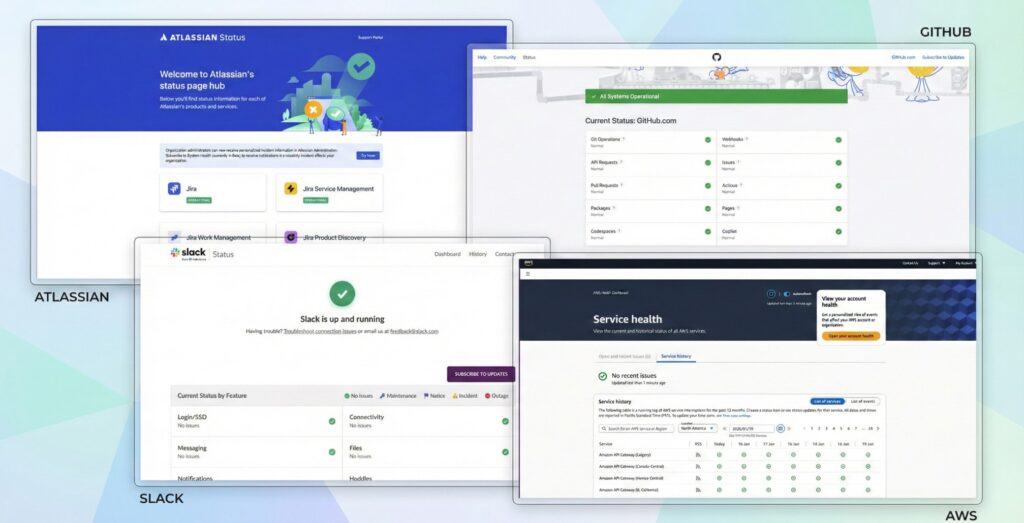
Status pages aren’t just for startups — some of the largest tech companies in the world use them to communicate with millions of users.
1. GitHub Status Page
GitHub’s status page offers:
- Clear service component breakdown (API, Pages, Actions, Packages, etc.)
- Real-time operational status
- Incident timelines
Client benefits:
- Developers quickly see whether an issue is local or global
- CI/CD failures can be correlated with GitHub outages
- Enterprises can trigger internal notifications based on status data
Result: Reduced confusion and faster resolution.
2. AWS Service Health Dashboard
AWS provides:
- Region-specific status
- Service-by-service availability
- Scheduled maintenance notices
- Historical uptime
Client benefits:
- Enterprises can plan around regional issues
- DevOps teams can make failover decisions
- Maintenance windows align with AWS activities
Result: Better continuity and planning.
3. Atlassian Status Page
Covers Jira, Confluence, Bitbucket, Trello and includes:
- Incident history
- Expected resolution times
- Post-incident root cause analysis
Client benefits:
- Teams understand tool slowdowns
- Leaders can communicate delays internally
- Support dependency decreases
Result: Stronger internal coordination.
4. Slack System Status
Features:
- Real-time messaging and connection status
- Regional data
- Incident archive
Client benefits:
- Remote teams stay informed
- Stakeholders can justify delays
- IT can confirm external impact quickly
Result: Faster context, less guesswork.
Why These Examples Matter
They share common patterns:
✔ Component-level awareness ✔ Scheduled maintenance transparency ✔ Continuous incident updates ✔ Historical uptime visibility
For large organizations, status pages become part of daily operations — not an optional extra.
Why the Xitoring Status Page Is a Game Changer
Xitoring elevates the traditional concept of a status page into a core trust and transparency platform.
1. Unified Health Communication Across Monitoring Layers
Instead of just up/down, Xitoring integrates:
- Uptime monitoring
- Server performance
- Application indicators
- Alert conditions
Benefit: Users receive context, not just a binary answer.
2. Customized Component Views
Different customers care about different services.
Xitoring enables tailored views, whether clients focus on APIs, checkout systems, or regional SLAs.
Benefit: Relevant, actionable information with less noise.
3. Proactive Incident Communication
Xitoring goes beyond passive pages:
- Automated alerts
- Email, Slack, and Teams integrations
- Follow-ups and ETAs
Benefit: Users know about issues before they even ask → support load drops.
4. Historical Reporting for Business Insight
Beyond logging outages, Xitoring supports:
- SLA validation
- Trend analysis
- Capacity planning
- Vendor comparisons
Benefit: Monitoring becomes strategic.
5. Deep Integration With Incident Workflows
The status page connects directly with:
- Monitoring systems
- Incident management
- Communication platforms
- Ticketing tools
Benefit: Faster, accurate, automated updates.